EA SPORTS FC™ 26
1. Patch the game's files
- Install the EA SPORTS FC™ 26 SHOWCASE
- Run the game at least once from Steam
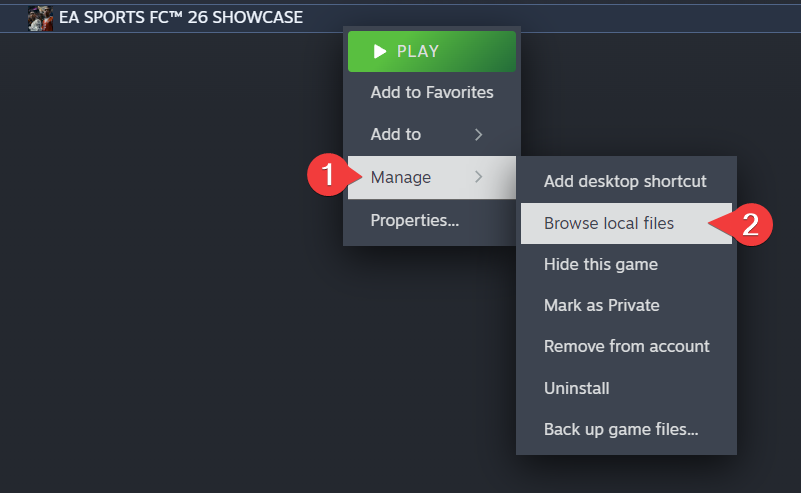
- Right-click the FC 26 Showcase in your Steam Library, then click Manage -> Browse local files
- Download the patch files
- Extract the contents of the .rar file into the game folder. The password for the archive is
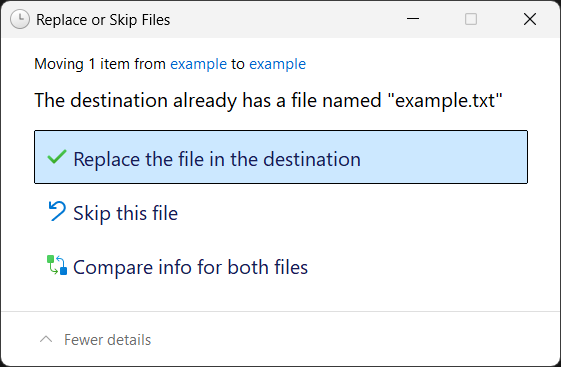
openlua.cloud - If prompted, click Replace the file in the destination (this may appear multiple times)
- Delete
FC26_Showcase.exeand renameFC26_Showcase fixed.exetoFC26_Showcase.exe - Open the
Bypass.batfile and select the second option, press enter to close after it's done
2. Generate the Denuvo token
- Open
EA.Denuvo.Token.Dumper.exefile
note
Make sure "FC26 showcase version" is checked and "Add DenuvoToken to anadius.cfg even if it exists" is unchecked
- Press Start, copy your token
- Open
anadius.cfgin the game folder, paste your token, save and exit
danger
Make sure you do not erase the quotes around the token!
Congrats!
If you've followed all of the steps correctly, you should now be able to play EA SPORTS FC™ 26.
note
Online functionality will not work.
important
Always launch the game from FC26_Showcase.exe, not through your Steam Library or the EA app.